Categories Salesforce

The How & What: Salesforce Event Monitoring

event monitoring

What is Event Monitoring?

Event Monitoring is a Salesforce feature for a Salesforce administrator to assist them to screen and detect well known activities in Salesforce in close to real-time. It is one of the many tools provided with the aid of Salesforce to maintain your records safe by way of permitting the Salesforce administrator to see the granular details of user activities referred to as occasions. The Salesforce administrator can view information about individual activities or track trends in occasions to unexpectedly become aware of abnormal behavior and shield their company’s records.

With real-time event tracking you benefit extra insights on:

  • Who viewed what records and when?
  • Where was the information accessed?
  • When a person makes change to data via the usage of a UI?
  • Who is logging in and from where?
  • Who in your enterprise is performing moves associated with Platform Encryption administration?
  • Which admin logged in as any other person and the movements that admin took as that person?
  • How long it takes a lightning web page to load?

Some of the sort events that may be tracked are:

  • Logins
  • Logouts
  • URI (web clicks in Salesforce classic)
  • Lightning (web clicks, performance, and Errors in Lightning Experience and he Salesforce mobile app)
  • Visualforce page loads
  • API Call
  • Apex Executions
  • Report exports

These events are stored in event log files. An event log file is generated when an event occurs in an organization and is available to view and download after 24 hours. The event types that can be accessed and how long the files remain available depends on edition under use.

How to enable Event Monitoring?

Event Monitoring is an add-on provided by Salesforce which can be purchased by contacting the Salesforce sales representative or Account Executive. After purchasing it you would be allowed to access all event types in the following

  • Event Log File:

Represents event log files for event monitoring. The event monitoring product gathers information about your Salesforce org’s operational events, which you can use to analyze usage trends and user behavior. … To view the underlying event data, query the LogFile field

This is an event log of windows XP just to give you a basic idea what event log file looks like.

  • Login Event object:

LoginEvent tracks login activity of users who log in to Salesforce. You can use LoginEvent in a transaction security policy. LoginEvent is a big object that stores the event data of LoginEventStream. This object is available in API version 36.0 and later.

  • Transaction Security:

Transaction Security is a framework that intercepts real-time Salesforce events and applies appropriate actions and notifications based on security policies you create. Transaction Security monitors events according to the policies that you set up. These policies are applied against events in your org and specify actions to take when certain event combinations occur. When a policy is triggered, you can have an action taken and receive an optional notification.

  • Event Monitoring Analytics app

The Event Monitoring Analytics App integrates with event monitoring and setup audit trail data to give you insights into your user and org behavior. The app is a built-in way to explore your monitoring data in Salesforce. App creation is easy and with its prebuilt dashboards and datasets, you can start exploring right away. This app helps you drill into your org’s data and swiftly identify suspicious behavior, slow page performance, and poor user adoption.

Steps to Enable Event Monitoring dashboards in Salesforce Sandbox:

“setup—analytics—enable”

1) Setup

Event Monitoring

Enable Login Forensics and Event Log File Integration with Event Monitoring Analytics App

2) Open Analytics studio app

Click on that and a new tab will open

3) Click on CREATE.

4) You will see stages 1 to 5 don’t transform anything with the exception of the no. of days to 30

Name the App “Occasion Monitoring App”

The application will run and you will see the beneath screen capture and an email will be sent once its prepared.

Using Event Monitoring:

When the Event Monitoring add-on is purchased from Salesforce it allows you to access the EventLogFile which contains the events that occurred. These files are read only and cannot be updated or deleted. Log file generation depends on the event to occur, if an event(represented by the EventType field) does not occur the log file will not be generated, but if the event occurs and the log file is not created then you should contact the Salesforce Customer Support.

When using event monitoring, keep the following in mind:

  • In the unlikely case in which no log files are generated for 24 hours, contact Salesforce Customer Support.
  • Log data is read only. You can’t insert, update, or delete log data.
  • Use the EventType field to determine which files were generated for your org.
  • An event generates log data in real time. However, daily log files are generated during nonpeak hours the day after an event takes place. Therefore, daily log file data is unavailable for at least one day after an event. For hourly log files, depending on event delivery and final processing time, an event is expected to take three to six hours from the time of the event to be available in the log file. However, it can take longer.
  • Log files are generated only when at least one event of a type (represented by the EventType field) occurs for the day or hour. If no events took place, the file isn’t generated.
  • Log files are available based on CreatedDate for the last 30 days when orgs purchase Event Monitoring or one day for Developer Edition orgs.
  • All event monitoring logs are exposed to the API through the EventLogFile object. However, there is no access through the user interface, except through the Event Monitoring Analytics app.
  • Event Monitoring log files aren’t a system of record for user activity. They are a source of truth, but aren’t durable. During Salesforce site switches, instance refreshes, or unplanned system outages, data loss can occur. For example, if Salesforce moves your production org instance, your event log files might have a gap in data. Salesforce makes commercially reasonable efforts to preserve event log file data integrity and avoid data loss. When Salesforce performs a site switch or instance refresh, it uses an automated process to replicate event logs.
  • Hourly event log files are provided for you to review events in your orgs on an accelerated basis. However, it’s possible that you don’t get all event log data in hourly event log files, especially during site switches, instance refreshes, or unplanned system outages. For complete data, use the daily log files.
  • If event transmission failures take too long to recover from, log files are retransmitted to ensure that they are delivered at least once. As a result, latent log files can sometimes contain duplicate event data. When your application consumes latent log files, make sure that your application handles duplicate event delivery.

As always, we @CloudFountain, would love to hear your feedback. In the current pandemic #covid19 situation, please stay safe and healthy.
Categories CRM

Increase your reliability with the superpower of CRM and BPM

Increase your reliability with the superpower of CRM and BPM

In the business world, the combination of Customer Relationship Management (CRM) and Business Process Management (BPM) has proven to be more advantageous than ever before. Mainly due to competition, enterprises are in the rush to create and find new ways to attract more sales and elevate their place in the market, always having in mind product manufacturing cost reduction while maintaining or increasing the rate of production.
Consequently, enterprises that possess an exceptional CRM system will boast a better profit compared to the rest that may not have this system applied, making the tools of CRM an essential asset to earn and preserve more clients and higher revenue.

What exactly is CRM and BPM?

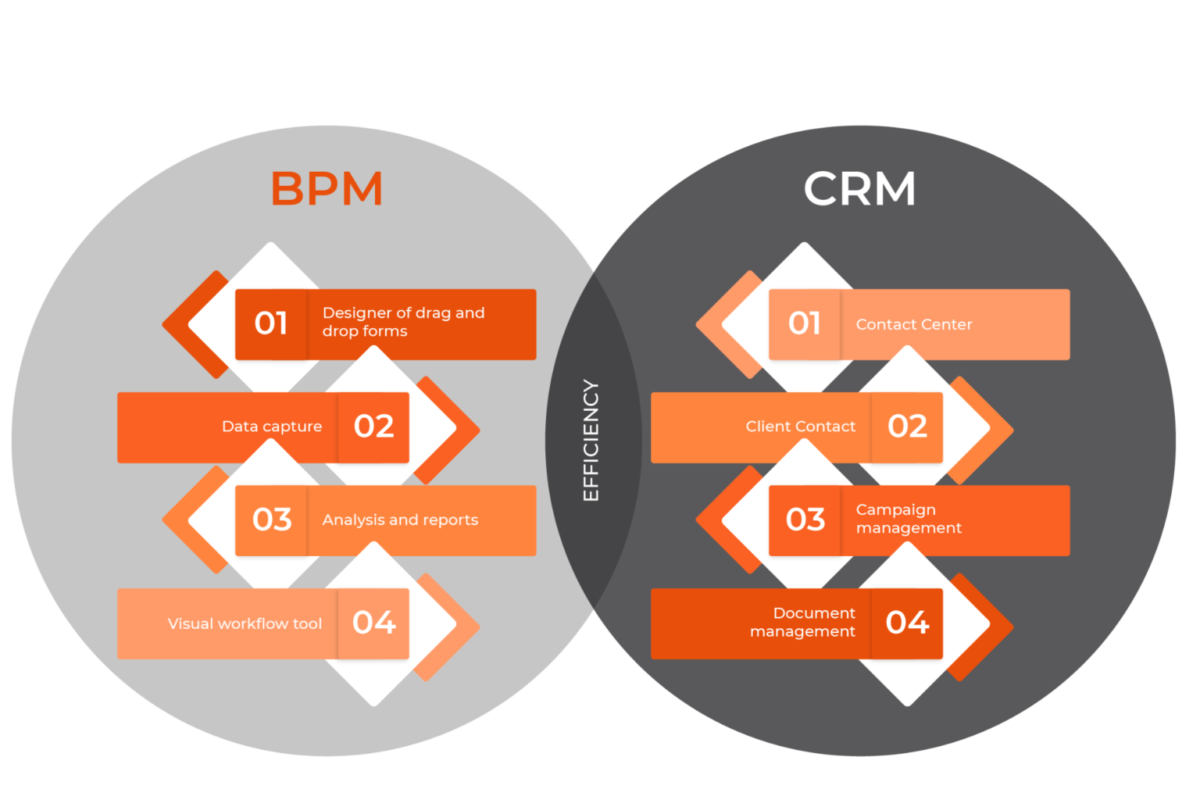
CRM (Customer Relationship Management) comprises of software technology, strategies and/or practices that organizations and enterprises can employ to analyze and manage data of interactions with clients. Furthermore, it is a system used to better understand the intricate liaison between company and customer.
BPM (Business Process Management) works on the principle that processes are central to an organization. BPM tools improve an organization’s processes through analysis and automation.
The key difference between these two types of software is that CRM focuses mainly on the commerce department while BPM can encompass the use of CRM in the array of processes it targets. Although each tool can be used separately from each other, they provide the best results when combined.

Some of the benefits of the fusion of CRM and BPM are:

● Greatly improves CRM’s data usage given that BPM allows the 3rd party’s references and reports.
● Provide the enterprise with higher predictability. For this reason, CRM will thrive when given more data and sales opportunities, enhancing its capability for organizing possible sales leads while accelerating the commercial processes and marketing.
● Maximizes cross-selling and up-selling. Through the merger of CRM with a BPM system, cross-selling and/or the increment of sales for a client (up-selling) can be vastly improved regarding the processes of business to allow an optimal performance of sales and attain superior results.
● Eliminates unnecessary processes.
To conclude, the implementation and merging of both CRM and BPM is becoming more and more important taking into consideration all the benefits that the processes provide to improve customer service, internal process and commerce efficiency.

Categories Software Development

What is RPA (Robotic Process Automation)?

What it is and why you should implement it

RPA: Robotic Process Automation.

What it is and why you should implement it

Throughout the world technology advances at an increasingly fast rate, which is why estimates show that in the coming years up to 45% of work duties will be automated while most client interactions will be made with emergent technology.
This technological advance has always been referenced from books to sci-fi movies, fantasizing about automated systems and robots that would take care of ordinary chores making human life easier and more comfortable. Nowadays, this is becoming our reality as software development has evolved exponentially, which brings us to a trending topic: RPA.

What is Robotic Process Automation?

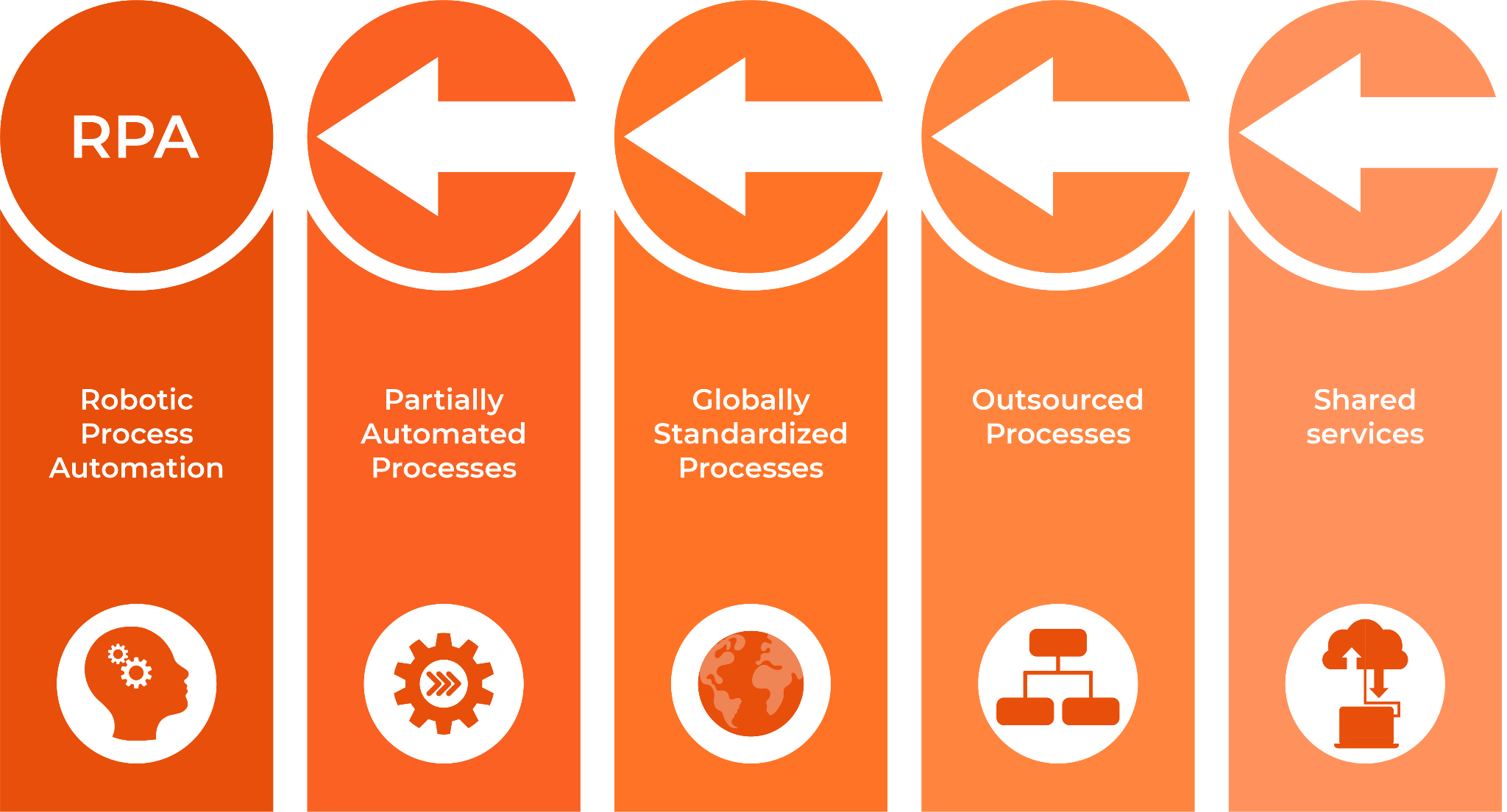
Robotic Process Automation or RPA being one of the most recent technological breakthroughs, far from physical hardware, it’s based in virtual systems designed to make processes and work tasks easier and more efficient. In other terms, it gathers all technology oriented to the use of software with the purpose of diminishing human interference, especially in monotonous assignments.
RPA’s fundamental benefit is the capacity that it carries to generate automatizations and accelerate data processing with the mixed use of the internet and state-of-the-art equipment. Furthermore, this development leads to the accomplishment of decreased cost production of processes whilst allowing companies to innovate with dexterity and promote digital advancements.

Benefits of RPA

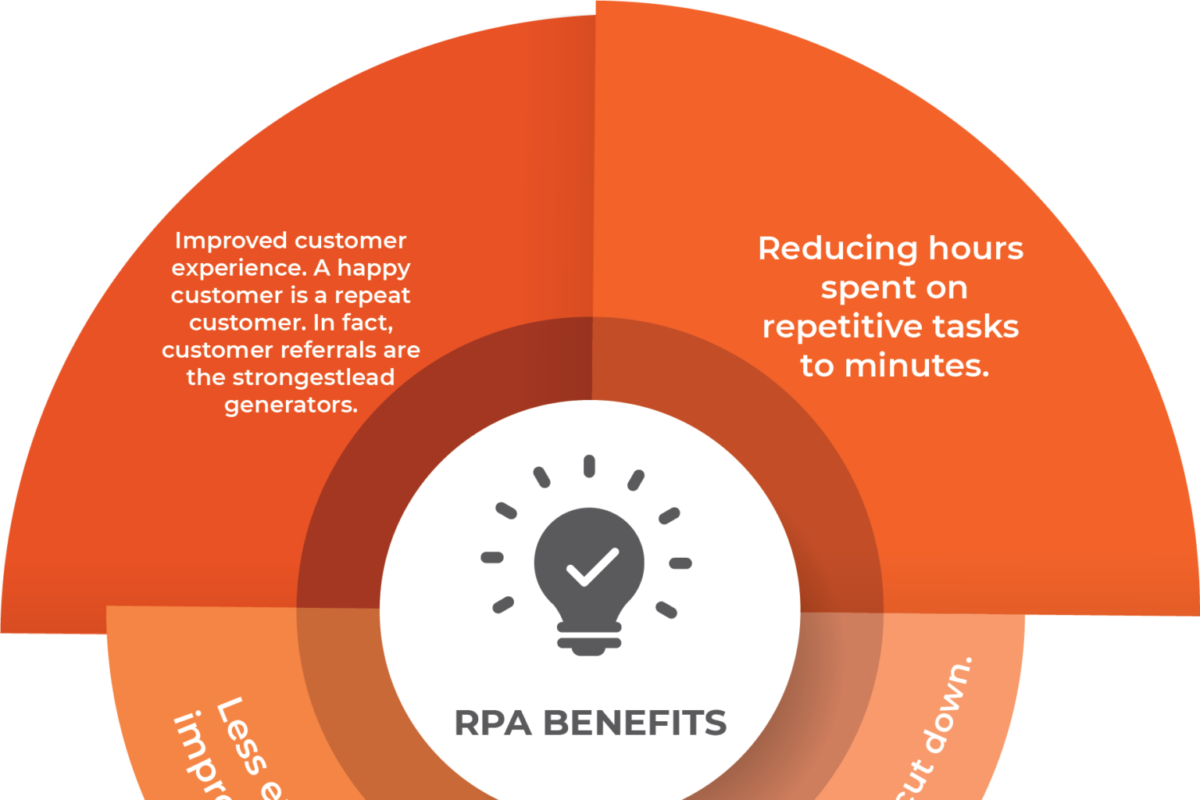
Although RPA’s benefits are limitless, some of the most prominent ones are:
● Cost and time efficient, given that software systems can complete tasks faster than a human being.
● Margin of error is virtually zero as it’s meticulously designed for each task and process that the company may demand and requires no human intervention.
● Fast and instantaneous, as a result of an agile implementation, results are given with no delay.
● Augments productivity, granting more profits.
● Ability to be implemented with auxiliary technologies.
● Non-intrusive, as it is able to be executed without any disruption to any other system. Robots can be effortlessly connected to web applications without the need of in-person technical support.
Considering the aforementioned benefits, RPA is an ideal complement to any enterprise’s productivity, rentability and efficiency thanks to software automatization of systems and the ability of its customizability to manage any task that’s required.

Why should you innovate with RPA in your project?

Artificial Intelligence or AI, is the latest of what technology is able to bring to our world and it’s being implemented in everything that surrounds us, as AI is no longer a tendency but an essential tool that makes our lives ever so slightly easier with each and every laborious task that otherwise would take longer and more effort to perform. RPA ensures that you have the ability to study your project, create a plan to highlight and vastly improve your company by reducing the needed workforce to attain the same results.
Large companies in the world use RPA in many of their processes, many come from repetitive tasks such as answering questions, changing airline tickets, placing prices on products, among others.
Walmart, Deutsche Bank, AT&T, Vanguard, Ernst & Young, Walgreens, Anthem and American Express Global Business Travel are among the many enterprises adopting RPA.
If you need help in building your business case for RPA, do not hesitate in consulting CloudFountain and if you require more information about this topic, there’s extra information in our webpage.

Categories CRM

Is RPA right for my company?

Is RPA right for my company?

In our previous article, we introduced the concept of RPA (Robotic Process Automation). Here we will try to address some of the assumptions that arise when considering whether RPA makes sense for a company irrespective of its size or the industry.

Will RPA replace the humans in the workforce?

While RPA leans toward replacing the tedious repetitive tasks which are human error prone, it does not entirely replace the human workforce which is the life of the company. RPA is intended to improve the efficiency and productivity of people working in a company. No system, whether it’s AI or RPA, is intelligent enough to replace the rational mind of a human being and in essence human beings are indispensable.

RPA processes or robots can make mistakes

You are spot on! YES, RPA processes or robots can make mistakes, IF there is a flaw in their design. These robots will follow their instructions to the T and are not capable of correcting the flaw in their instructions. Hence testing RPA robots is extremely critical and crucial, it cannot be stressed any further.

APIs can be used instead of RPAs for automation

You are again right! I guess it’s a good day to buy a lottery ticket. Now back to the Assumption, there’s a huge caveat here. You can avoid RPA completely and build your automation using APIs, but why would you do that? It proves to be extremely cost ineffective and error prone. The major benefit of using RPA is to make the processes cost effective and not error-prone. RPA is designed to replicate human behavior at a large scale.

RPA works only in certain industries

As long as you are not in the niche area of making handmade samurai swords, it’s safe to say RPA will be useful for your industry. Every industry has tasks which human beings do that are repetitive in nature and prone to error. These are the areas that RPA targets to alleviate.
Here are some examples of tasks that RPA can address:
– Claims processing in the Insurance industry. Well, based on my experience in the insurance industry, I can say there are many tasks that are prime for RPA.
– Detecting fraud in banks and the payment processing industry.
– Detecting insider attacks in Salesforce CRM applications across any industry.
– Order management and processing, and logistics in retail and ecommerce.
RPA is costly
There, there! RPA is meant to be cost effective and would not be taken kindly if it was burning a hole in the proverbial pocket. RPA does have an initial implementation cost, however it is not as significant as BPM software or the famous API solution. Additionally it results in cost reduction in the processes and saves human hours thereby reducing expenditure in other areas.

Well, I hope I have provided some food for thought here for RPA and automation inside your organization, in line with UIPath vision to enable every customer to deliver ‘a robot for every person’ in the organization. As always, I value your feedback and am available to help your organization.

Categories Salesforce

Benefits of Salesforce and Why Salesforce Communities Matter

Benefits of Salesforce and Why Salesforce Communities Matter

One of the easiest ways to drive away potential customers from your business is to give them a poor reception at the front desk. The same is true for digital businesses, except that most companies have one or more solutions to help them manage their customer relations instead of a front desk.

There are many integrated solutions used by businesses to handle all their Customer Relations problems. Solutions range from email messaging and virtual assistants to chatbots who have been programmed to give specific answers to inquiries. At the forefront is the CRM platform created by one of the earliest cloud-based companies, SalesForce.

What does Salesforce Do?

In addition to CRM software, Salesforce also provides enterprise applications focused on customer service, marketing automation, analytics, and application development.

At the core, Salesforce is a platform that empowers businesses to connect. One of the main features that facilitate this function is Salesforce Communities.

Salesforce Communities

With Salesforce, there are three key community types: 

Essentially Salesforce communities are brand spaces that help brands interact with their publics and collaborate with them using relevant data and content. It is an online social platform where users can connect and discuss various topics of interest.

Using Salesforce communities, customers can have their questions answered, review threads of discussions that provide valuable information, form relationships with other customers, and many more.

Famous brands like Coca-Cola, Starbucks, Walmart, Dell, Nokia, Lowe’s, and TEDx use communities for various reasons, including connecting customers from around the globe and reducing the caseload for their contact centers and support agents.

Advantages of Salesforce Communities

Most Digital Customer communities provide the following benefits to the businesses who implement them: 

For Salesforce, here are a few advantages that set it apart from other similar solutions:

1. Quick and Easy Integration of Brand Identity

Salesforce provides the option of building communities with pre-packages themes and settings. However, there is an easy way to integrate custom themes and consistent templates for those who want their community to stay true to their brand.

2. 24/7 Connection from anywhere in the World.

Salesforce community allows users all over the world to connect and collaborate on projects. There are no time restrictions on the platform, and users can access shared files for long periods after they were originally accessed.

All this allows solutions to be arrived at faster, as all the users have access to the shared data, which can be used as reference points for resolving conflicts.

3. Highly Customizable for Unique Brand Experiences

Salesforce communities can be easily tailored to meet the specific needs of the users and the type of interaction required. Using the Experience builder tool, you can adjust various parameters and user controls such as access levels, themes, etc.

Salesforce You can also customize recommendations to drive community engagement towards specific projects. If there is a new training mandated for employees, you can customize the nature and frequency of reminders to urge employees to undertake it promptly. A new policy can be boldly displayed or regularly sent to notify partners on the community platform for accessible communication.

Salesforce communities allow you to control user access down to the individual. This provides some level of security for the channels of communication within the Salesforce platform.

4. User Friendly and Engaging platform.

Salesforce communities encourage communication and collaboration between teams and members of the same team. It supports the transfer of files and media between users, which broadens the spectrum of sharing in the communities.